Proofreading an Automatic Transcript in Two Minutes
A quick, repeatable method to fix auto-generated captions before export, so names, numbers, and brand terms don't embarrass you in the final cut.
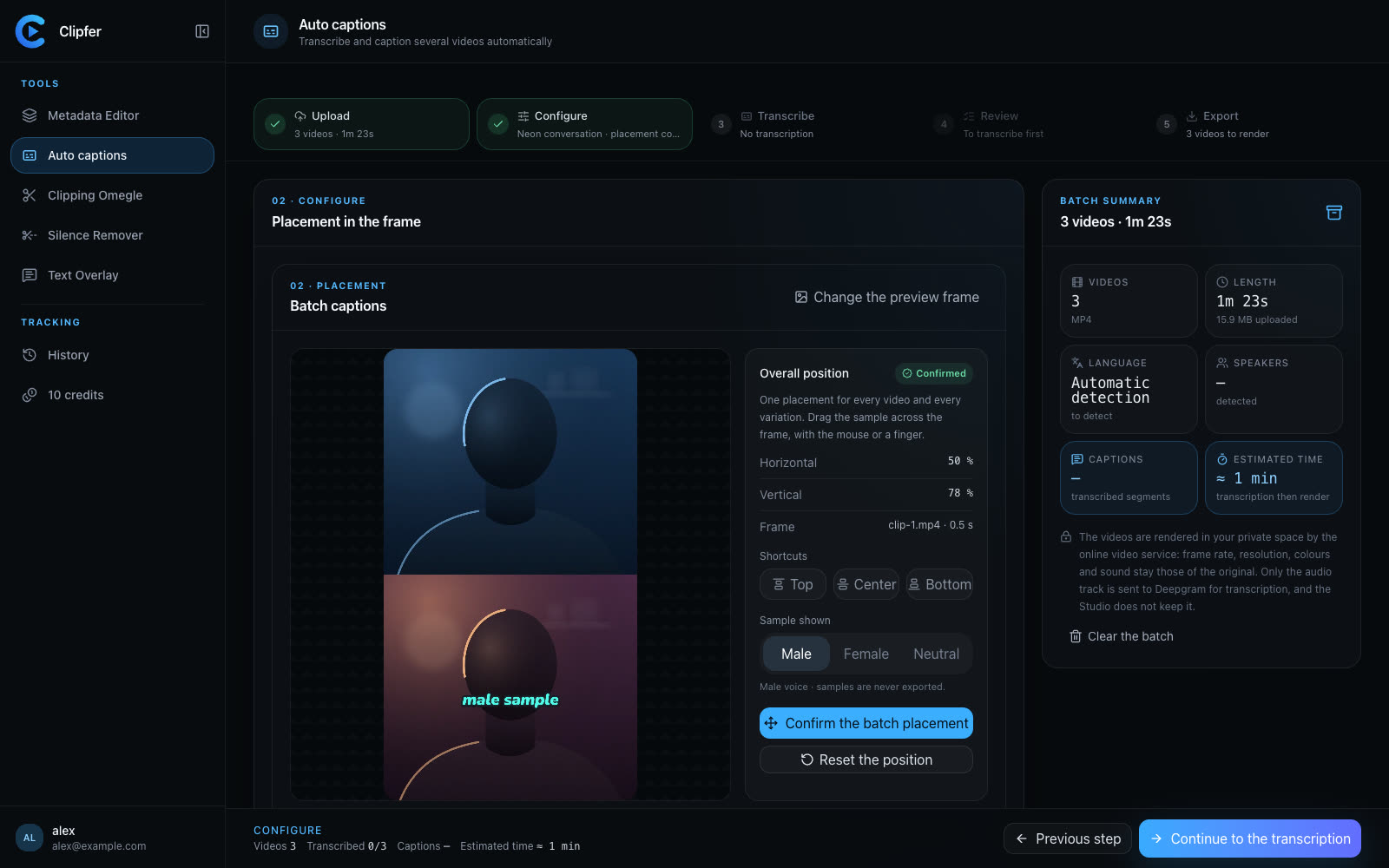
Automatic transcription has gotten good enough that most creators now trust it by default, but 'good enough' still means a handful of errors per minute — a mispronounced name, a dropped word, a number read wrong. Fixing these mistakes doesn't need to be a slow, line-by-line ordeal. With the right approach, proofreading a transcript before you burn it into captions takes about two minutes per video, even for longer content.
Why errors cluster in predictable places
Speech-to-text engines like the one powering Auto captions in Clipfer are statistically strong but not infallible. Mistakes tend to show up in a few recurring spots:
- Proper nouns: names of people, brands, places, or niche terms the model has never seen
- Numbers and dates spoken quickly or informally ("twenty-three" vs "23")
- Homophones in context (their/there, to/too)
- Overlapping speech or background noise moments
- Filler words that get transcribed as actual words
Knowing where errors cluster means you don't have to read every single line with the same intensity. You can scan quickly through clean dialogue and slow down only at these trigger points.
A two-minute pass, not a full rewrite
The fastest method is not to correct grammar or rephrase anything — it's to hunt for factual errors only. Open the transcript, and instead of reading for meaning, scan specifically for:
- Any word that looks out of place next to the audio you remember
- Capitalized words that might be misspelled names
- Numbers that seem off
- Short words that don't form a coherent sentence (often a sign of a mis-transcribed homophone)
If you're working directly with the tool, correcting the transcript inside Clipfer lets you fix a line and see it reflected immediately in the caption preview, so you catch timing issues at the same time as spelling ones.
Build a personal glossary
If you regularly mention the same brand names, usernames, or specialized vocabulary, keep a short list on hand. Before you even start proofreading, do a quick find for those terms in the transcript. This catches the majority of recurring errors in seconds rather than relying on your eye to spot them mid-scan.
This is especially useful for agencies managing several creators' content: a shared glossary means less back-and-forth and more consistent captions across batches of videos.
When speed matters more than perfection
For short-form vertical content — Reels, TikToks, Snapchat clips — small transcript errors rarely sink a video if the visual pacing and sound design carry the piece. In these cases, a two-minute scan focused only on names and obviously wrong words is usually enough. Save the deeper proofreading pass for long-form podcast episodes or interviews where misquoting someone actually matters.
Don't forget the visual side
Once the text is accurate, double check how it reads on screen. Long sentences that look fine as plain text can break awkwardly across two caption lines. If you're using animated styles or color-coding by speaker, a quick preview pass after your text correction catches these display issues before export, not after.
Where to go next
If you want a structured walkthrough of the whole workflow, from importing a video to exporting clean captions, these resources go step by step:
Related articles
Captioning a Video in a Language You Don't Speak
A practical workflow for adding accurate captions to footage in a language you don't understand, without guessing or mistranslating.
Most People Watch on Mute: Why Captions Are No Longer Optional
Most viewers scroll through vertical video with sound off, so captions aren't a nice-to-have anymore, they're the baseline for any clip to land.
One Shared History for the Whole Team
How agencies and managers keep track of batches, versions, and clients without losing files across team members and tools.