Moments suggested, not imposed
Up to 40 moments above the quality bar, with score, detected emotions and explanation. You discard, restore, or grab an excerpt by hand, with no analysis.
Upload a landscape Ome.tv recording. Clipfer finds both webcams, transcribes the conversation, suggests the best moments and edits every clip in 9:16 — captions coloured per voice, close-ups on reactions, sound effects, dead air removed. You choose, you check, you export.
Sign-ups not open yet · opening soon
Up to 40 moments above the quality bar, with score, detected emotions and explanation. You discard, restore, or grab an excerpt by hand, with no analysis.
Full-screen close-up on the person reacting, sound effects from your library, memes placed after a strong reaction — three densities, from calm to intense.
Same engine and same styles as Auto captions: the colour follows the voice, the position is the same for the whole batch, a headline banner is optional.
Dead air removed (Ultra dynamic), sensitive words censored with a beep or masked, quality check on every file: audio aligned, first frame not black, no black bars.
Every clip comes out in 1080×1920, H.264, with both webcams stacked and captions coloured per voice.
An Ome.tv recording (or a similar interface) in landscape, with two visible webcams and an audio track. Detection relies on motion: the interface background stays still, both streams move.
Claude Opus 5, the sharpest on intent and irony, is the default. Sonnet 5 costs two and a half times less for a close result; Haiku 4.5 is fine for a rough pass. Re-running the same analysis costs nothing.
The audio track goes to Deepgram for transcription, and thumbnails of both faces go to Anthropic (Claude) for analysis. The video itself never leaves your private space.
Yes: 15–30 s, 20–35 s, 30–60 s, 1–3 min, or Automatic (12–90 s). Boundaries snap to measured silences, and the quality bar can be moved after the analysis without paying again.
The check step opens every clip in a mini-editor: captions, close-ups, effects, cuts, speakers. You re-render that clip alone; renders are included in the analysis.
Sign-ups are opening soon.
Seven steps, and you stay in control
Upload, frame, configure, analyse, select, check, export: every step waits for your approval.
1. Upload the recording
A landscape recording with its audio track, up to one hour. The file is sent to your private space in chunks: a dropped connection does not start everything over.
2. Frame both webcams
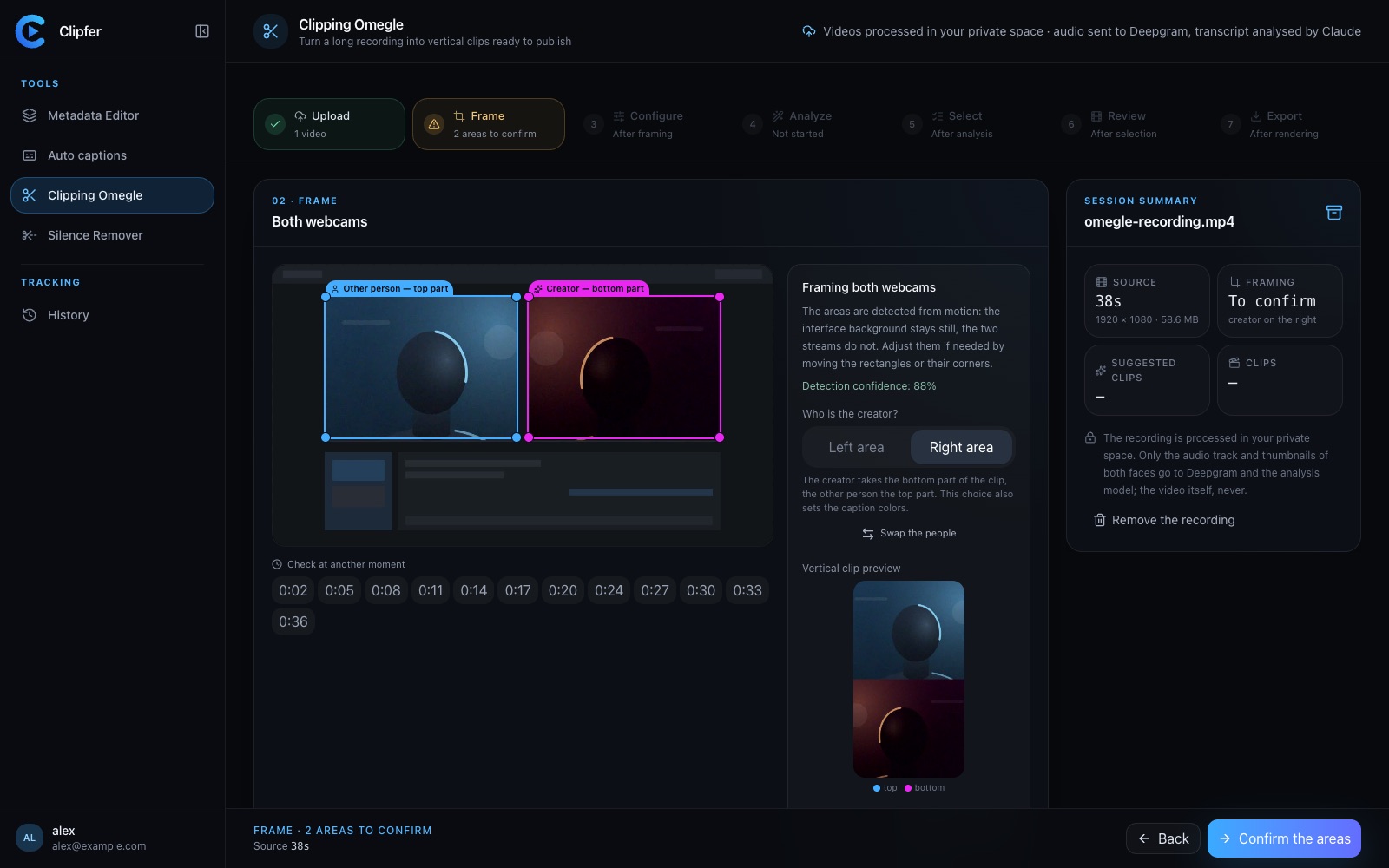
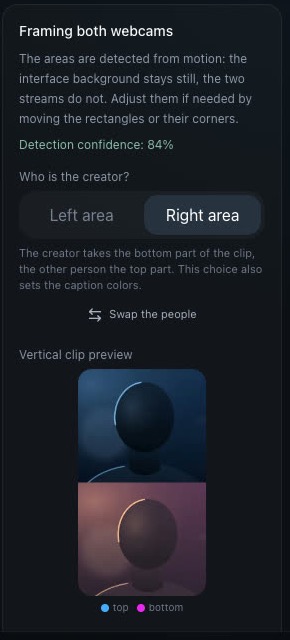
Clipfer detects the two areas that move — the interface background does not — and shows its confidence. You move the rectangles if needed, check at another moment, then approve.
3. Say who the creator is
Left or right area: the creator takes the bottom of the clip, the other person the top. This choice also sets the caption colour of each voice. The vertical preview updates at once.
4. Analyse, choose, export
Pick the analysis model, the content types and the clip length, then run. Suggested moments show a score and “why this moment”; you keep the ones you like, check every clip, and download in 1080×1920.