Skip to content
Agencies and managers

Volume, folders, clean files

You run several accounts and a lot of content. Clipfer takes a whole folder, turns every video into unique versions, puts captions and subtitles on a whole series, and outputs anonymised files: neutral names, cleaned metadata, a different fingerprint at every export.

Sign-ups opening soonSee the use cases

Sign-ups not open yet · opening soon

clipfer.com/editeur-metadonnees
Set the variations of a batch of videos, then approve the preview.
01Use cases

Three ways to process a whole folder

The same tools, designed for batches: one setting, every video.

Metadata Editor

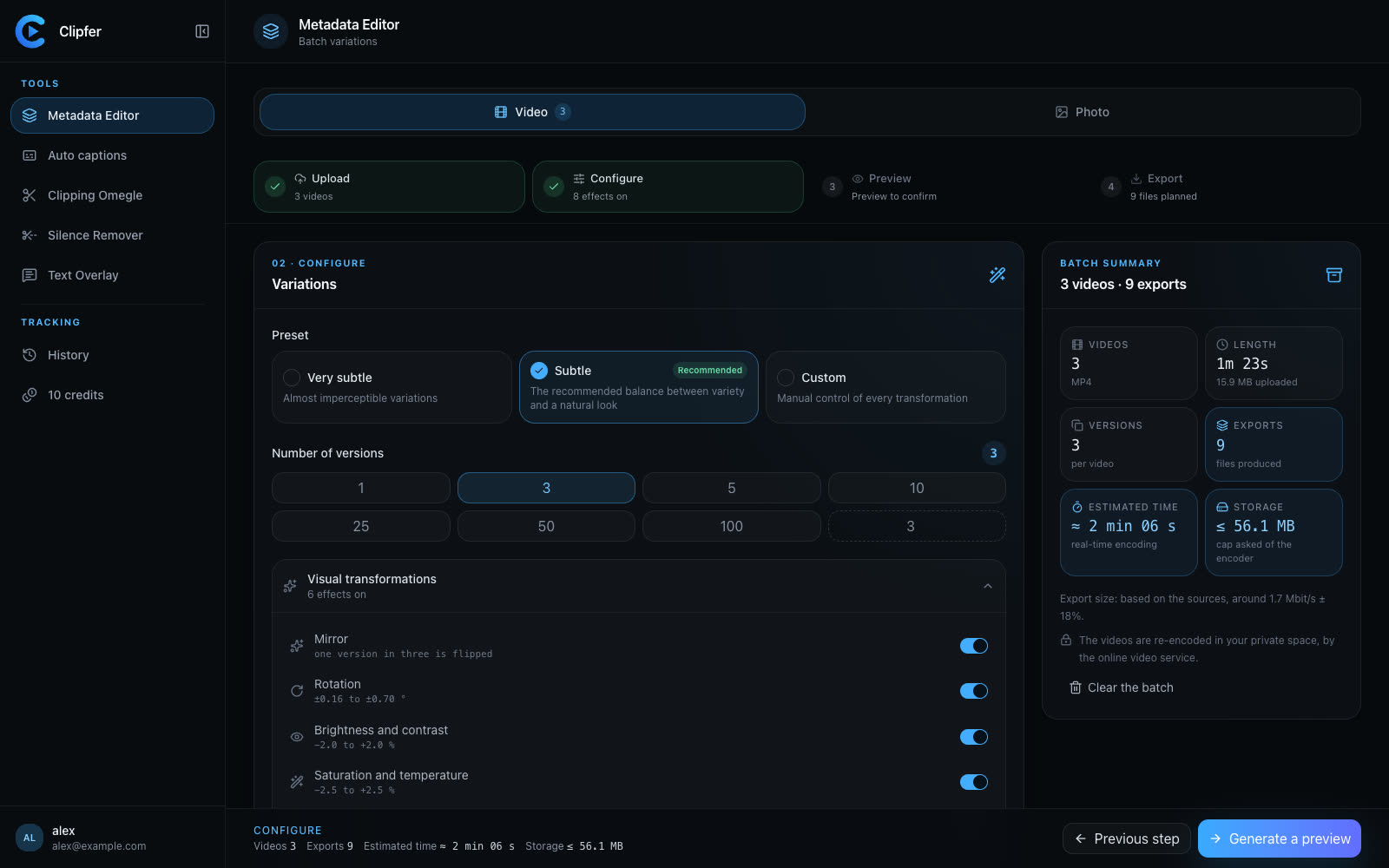
One video, a hundred unique versions

Mirror, rotation, light, colours, speed, size: imperceptible variations, checked by fingerprint, with cleaned metadata and random names. Photos included, free.

  • From one to a hundred versions per file
  • Mapping report and uniqueness check
Discover Metadata Editor
Set the variations of a batch of videos, then approve the preview.

Text Overlay

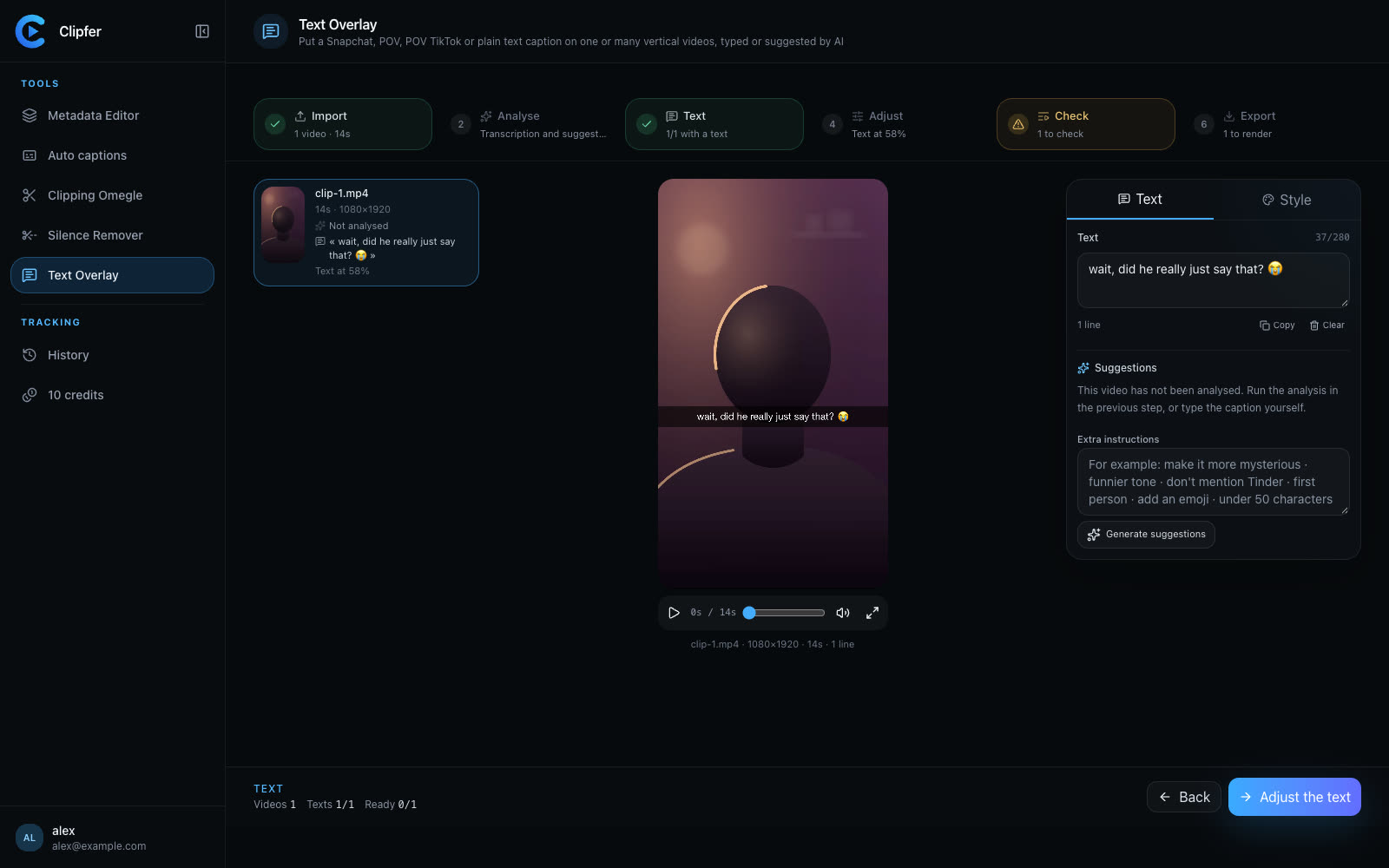
Captions on a whole series

A folder of vertical videos, one or several text kinds, one analysis per video. Captions are reviewed as a list; position and style apply to the whole batch.

  • Snapchat, POV, POV TikTok, Text
  • Instructions specific to each creator
Discover Text Overlay
Write or review each video's caption, and see it on the picture before export.

Auto captions

Caption in batches

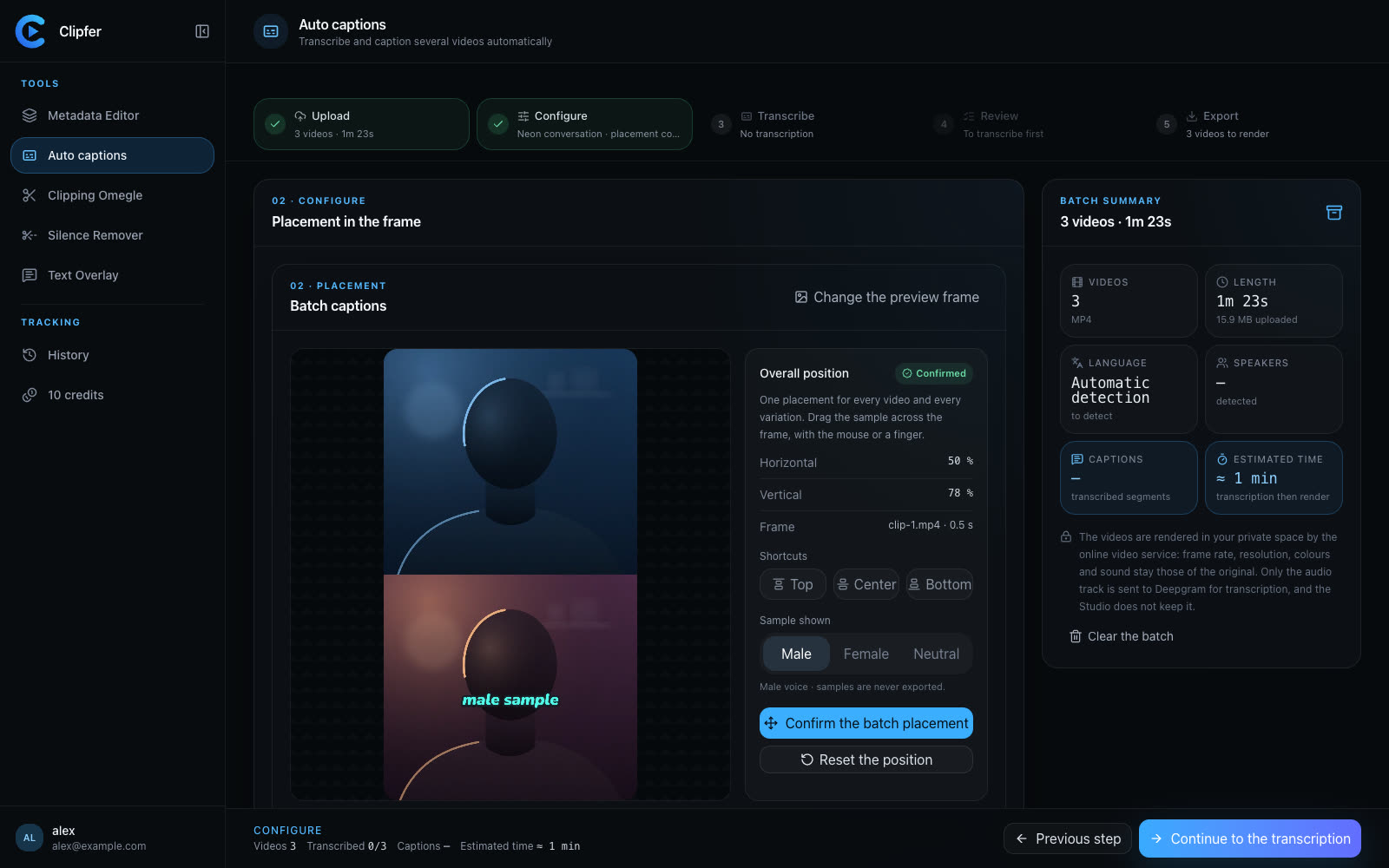
Ten videos, one style, one placement. Voices are coloured, captions can be fixed, and the batch comes out with its SRT and VTT files.

  • Search and replace across the whole batch
  • Uploaded fonts for an account's brand
Discover Auto captions
Choose the caption style and place it on the picture.
02Workflow

A folder, from drop-off to delivery

  1. 01

    1. Drop the folder

    A whole folder or a ZIP, read down to its subfolders; an unreadable file is set aside without blocking the batch.

  2. 02

    2. Set once

    Preset, number of versions, text kind, caption style: one setting for all videos, or exceptions video by video.

  3. 03

    3. Check as a list

    Captions, uncertain lines, duplicates: everything is reviewed as a list, with filters, before rendering.

  4. 04

    4. Deliver anonymised

    ZIP archive with a mapping report; every file carries a neutral name and cleaned metadata.

Why Clipfer for an agency

  • Anonymised outputsRandom names, metadata removed, different size and fingerprint at every export, without touching the picture.
  • Credits sized to your volumeThe Agency plan, a top-up pack, and a tailored Enterprise plan for large volumes.
  • Your projects sortedEvery batch becomes a project, to file in collections per account or per creator.

Your next batch starts here.

Sign-ups are opening soon.

Sign-ups opening soonI already have an account