Skip to content
Podcasts and interviews

From the full episode to the clips that get it discovered

A two-webcam recording, an hour of conversation. Clipfer transcribes, suggests the moments to keep, frames both people in 9:16, captions each voice in its colour and removes dead air. The full episode, in turn, gets captioned and tightened with the two other tools.

Sign-ups opening soonSee the use cases

Sign-ups not open yet · opening soon

clipfer.com/clipping-omegle
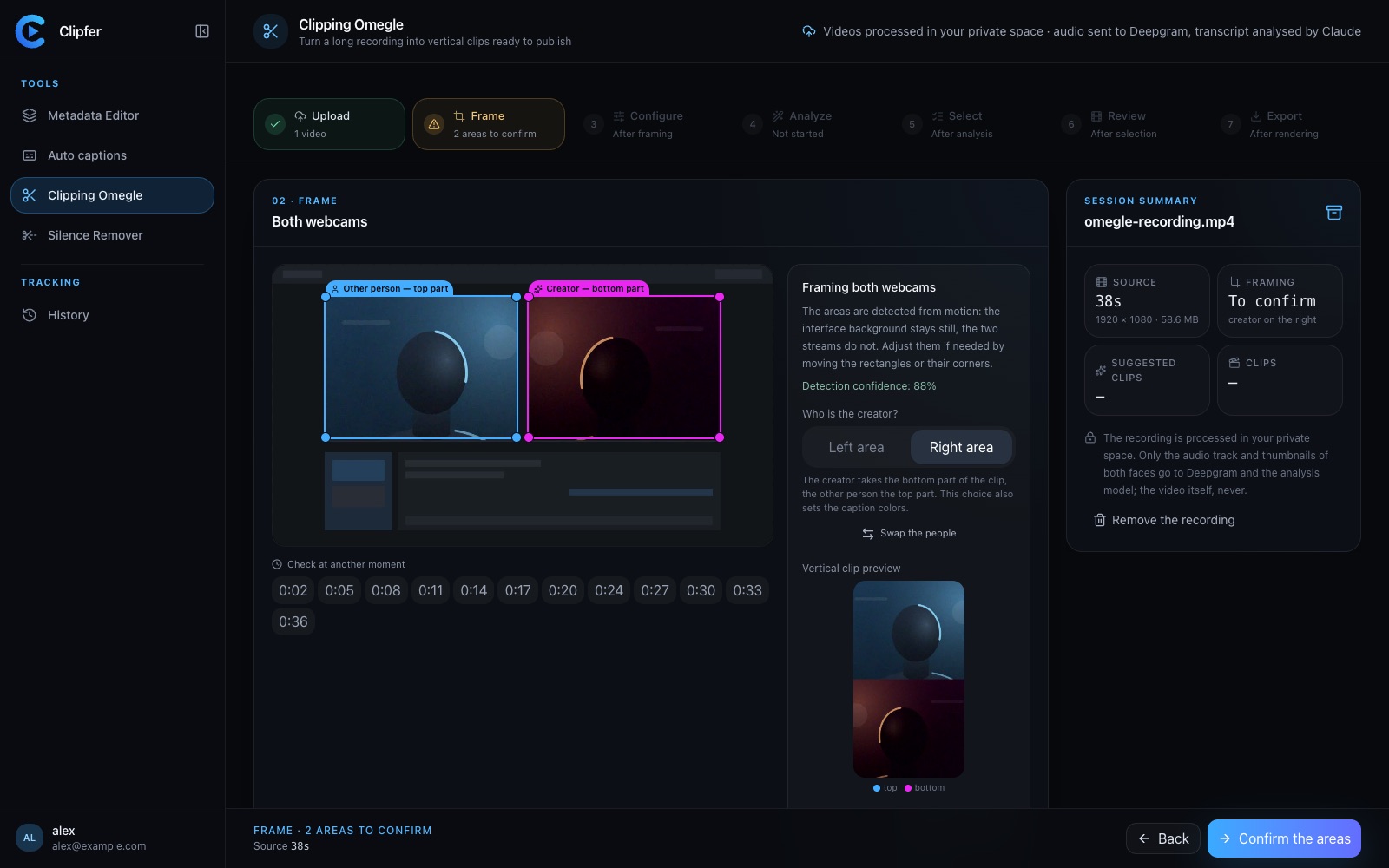
Frame the recording: both webcams are detected, you adjust their frames.
01Use cases

Three moves for an episode

Clipping for the excerpts, Auto captions and Silence Remover for the full episode.

Clipping Omegle

The best moments, vertical

Both webcams are detected, the conversation transcribed, the moments scored and explained. Every clip comes out in 9:16, both people stacked, with captions, close-ups and sounds.

  • Up to forty moments suggested, you decide
  • Clips from 15 s to 3 min, or automatic
Discover Clipping Omegle
Frame the recording: both webcams are detected, you adjust their frames.

Auto captions

The captioned episode

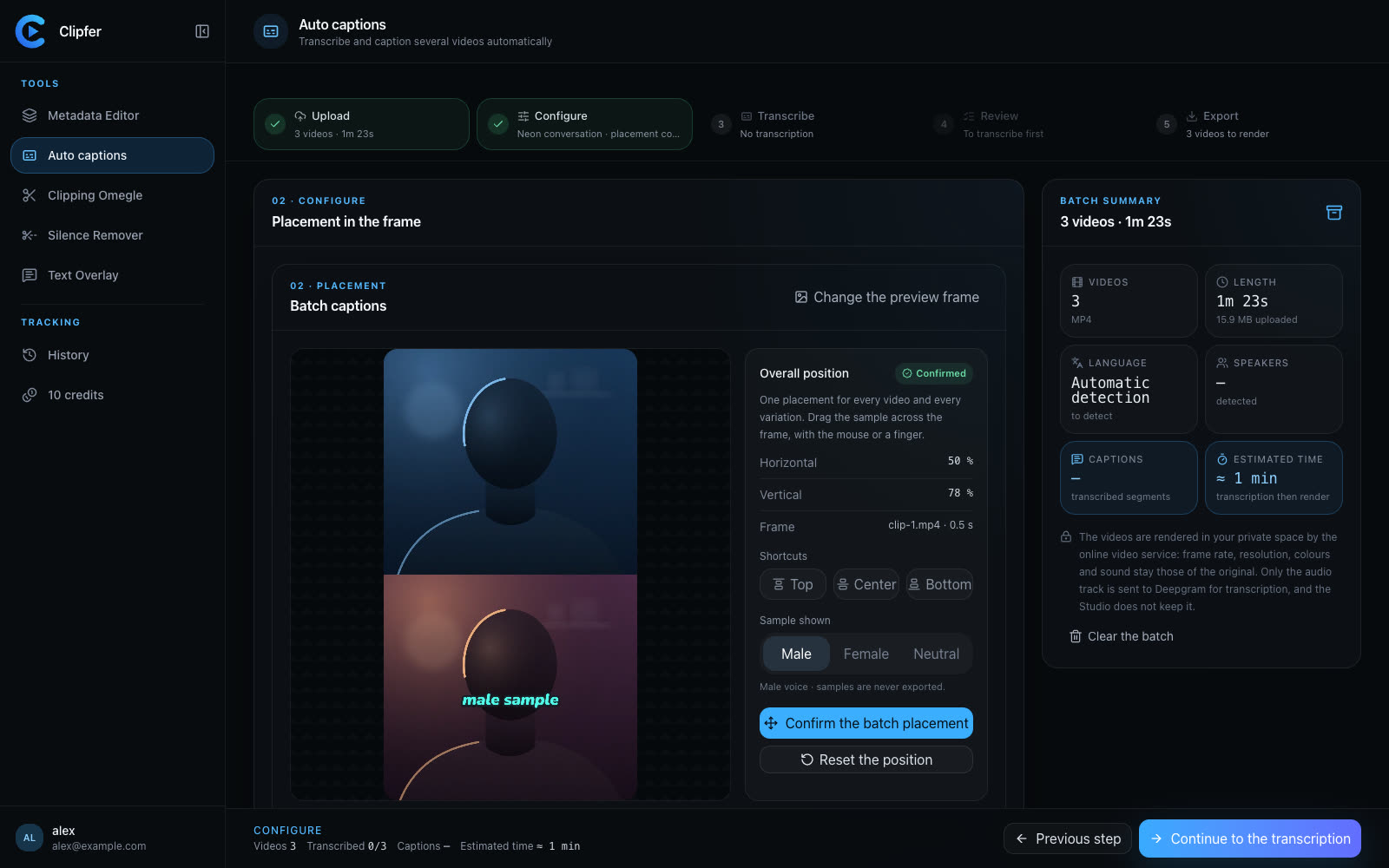
One colour per voice, the Plain style for a calm conversation, word-by-word correction for proper names. SRT and VTT for YouTube and the platforms.

  • Search and replace a name across the whole episode
  • Audio excerpt per speaker to check
Discover Auto captions
Choose the caption style and place it on the picture.

Silence Remover

The tightened episode

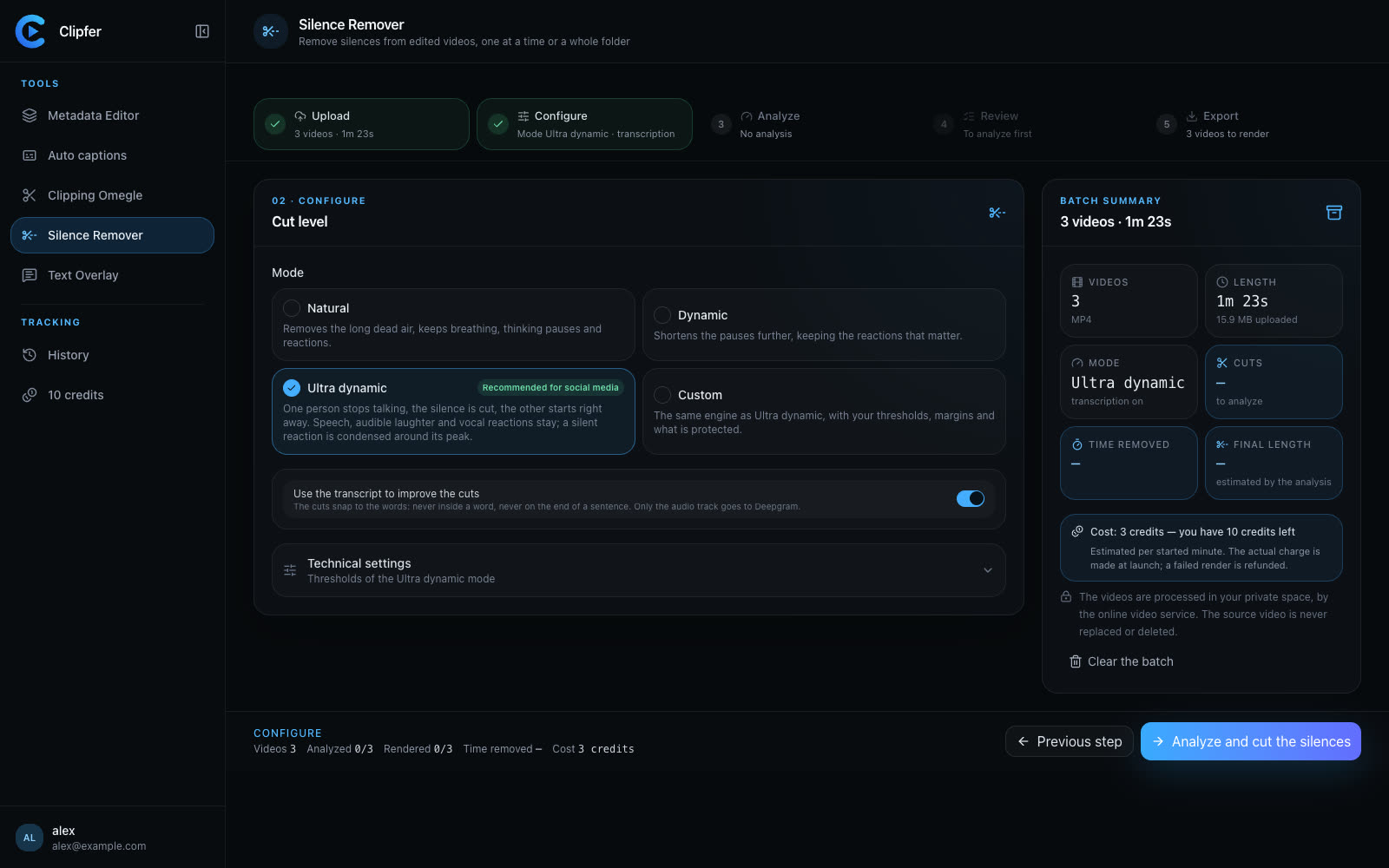
The Natural mode removes the long gaps and keeps breathing; Dynamic goes further. Every silence can be heard before it is removed.

  • One hour of recording supported
  • Same picture, same sound
Discover Silence Remover
Choose the cutting level before running the analysis.
02Workflow

From a recording to publication

  1. 01

    1. Upload the recording

    The landscape recording, with both webcams and its audio track, up to one hour.

  2. 02

    2. Frame and analyse

    You approve both frames and who is who, pick the model and the clip length, then run the analysis.

  3. 03

    3. Choose and check

    Score, emotions, “why this moment”: you keep the good ones, then touch up every clip in the mini-editor.

  4. 04

    4. Export the episode and the clips

    The clips in 1080×1920, the episode captioned and tightened, SRT on top. Everything stays in your projects.

Why Clipfer for a podcast

  • Moments, explainedEvery suggestion says why it holds up: you choose knowingly, and re-run the analysis without paying again.
  • Both voices readableOne colour per person, a fixed position for the whole batch, a headline banner if you want.
  • Clean to publishDead air removed, sensitive words censored, quality check on every file.

Your next episode, as clips.

Sign-ups are opening soon.

Sign-ups opening soonI already have an account