Imperceptible to the eye, different to the machine
Every version is checked: five frames per video, an exact fingerprint and a perceptual fingerprint per photo. Duplicates are flagged and can be re-run.
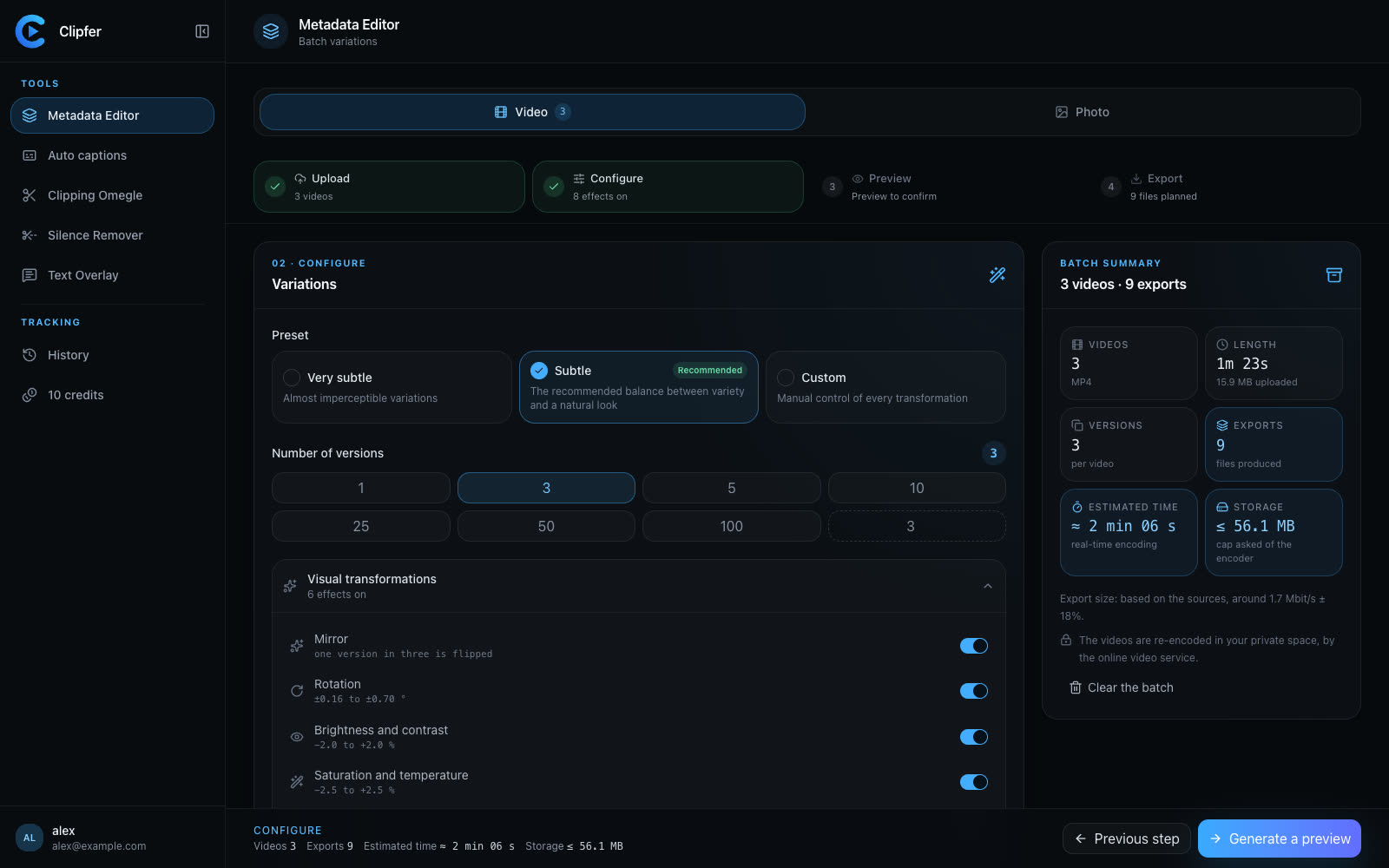
Upload videos or photos, pick a preset and a number of versions. Clipfer applies imperceptible variations — mirror, rotation, brightness, saturation, shift, zoom, speed, size —, strips the device metadata and names every file at random. A before/after preview to approve, then the batch.
Sign-ups not open yet · opening soon
Every version is checked: five frames per video, an exact fingerprint and a perceptual fingerprint per photo. Duplicates are flagged and can be re-run.
Device, GPS, software, title, author, chapters, data tracks: removed. Dates take the render date; every file gets a new identifier and a fingerprint.
Speed is applied to the sound without changing the pitch of the voice, and the loudness is preserved. The rest of the track is untouched.
Photos are re-encoded on the spot, with no upload at all: same format for JPEG, PNG and WebP, HEIC and AVIF come out as JPEG. They cost no credit.
The batch comes out as a ZIP archive, one version per folder, with the mapping report and the uniqueness check.
For publishing the same content on several accounts or platforms without identical files — byte for byte as well as to the machine's eye —, while staying indistinguishable to the audience.
No: the ranges are chosen to stay under the visible threshold — half a degree of rotation, two percent of brightness, a speed from 0.98× to 1.02×. Very subtle halves everything again.
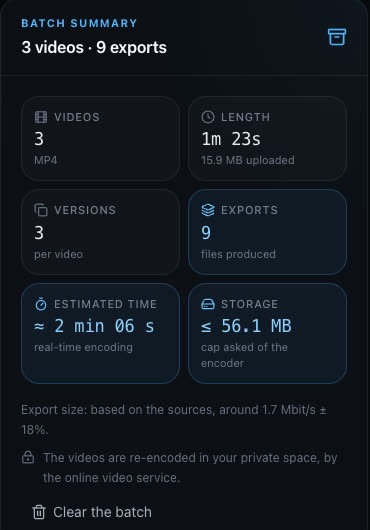
From one to a hundred per file. Beyond twenty, Clipfer warns that the batch will be large; the estimated time and the storage needed show before you run.
Re-encoded in the browser, with no upload and no credit. Device, lens, GPS and software are not copied; orientation and dimensions do not change.
If the service does not respond, only the container dates are rewritten, and the result says so clearly: “Metadata not cleaned”.
Sign-ups are opening soon.
Four steps, a preview before the batch
Upload, set, preview, export. Nothing runs before you have approved the preview.
1. Upload videos or photos
Two tabs, Video and Photo, working side by side. MP4, MOV, M4V, WebM videos; JPEG, PNG, WebP, HEIC and AVIF photos; files, a whole folder or a ZIP.
2. Pick a preset and the number of versions
Very subtle, Subtle (recommended) or Custom with an overall strength. One, three, five, ten… up to a hundred versions per file.
3. Turn on the transformations
Mirror (one version in three), rotation from ±0.16° to ±0.70°, brightness and contrast ±2%, saturation and temperature, shift, zoom, speed from 0.98× to 1.02×, size ±18%. Each one can be turned on or off.
4. Preview, then export
Before/after comparison (slider or side by side) with the exact recipe of the render. Then the batch: resolution, frame rate, format, quality of your choice, ZIP archive with a report.