Skip to content
Creators

Publish every day, without an editor

You film, Clipfer does the rest: the Snapchat or POV caption written by AI and reviewed by you, captions that say who is speaking, dead air removed. Everything is checked before export, and your files come out clean.

Sign-ups opening soonSee the use cases

Sign-ups not open yet · opening soon

clipfer.com/montage-snapchat
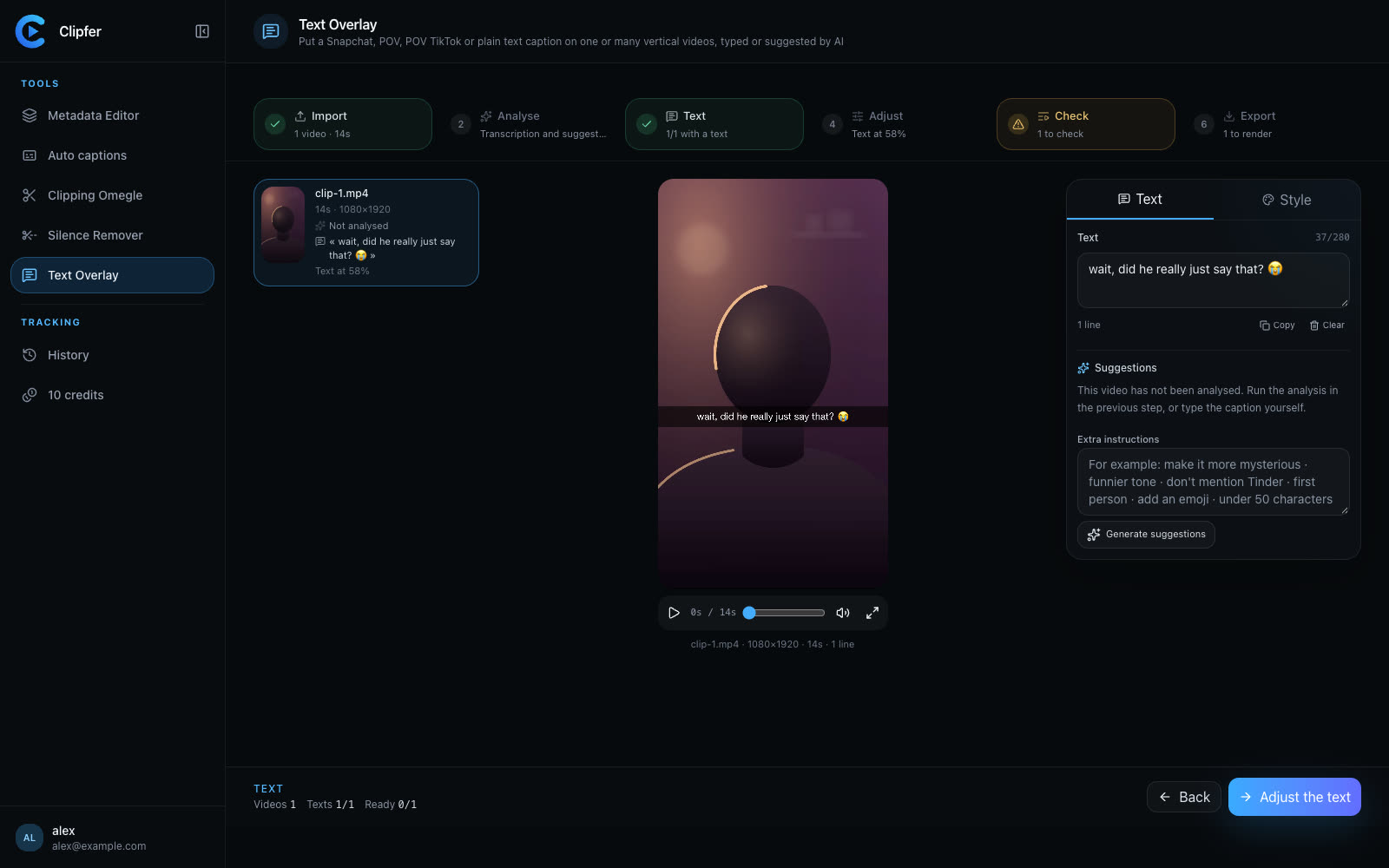
Write or review each video's caption, and see it on the picture before export.
01Use cases

Three moves that come back every day

The same tools as everyone, presented for a solo creator publishing vertically.

Text Overlay

The right caption on every story

Upload the day's series: the AI listens, watches, reads lips and suggests several captions per video — Snapchat, POV, POV TikTok or a plain sentence. You choose, you edit, you export the whole batch.

  • Five to eight suggestions per video, in the right language
  • Same position and same style for the whole series
Discover Text Overlay
Write or review each video's caption, and see it on the picture before export.

Auto captions

Captions that make people stay

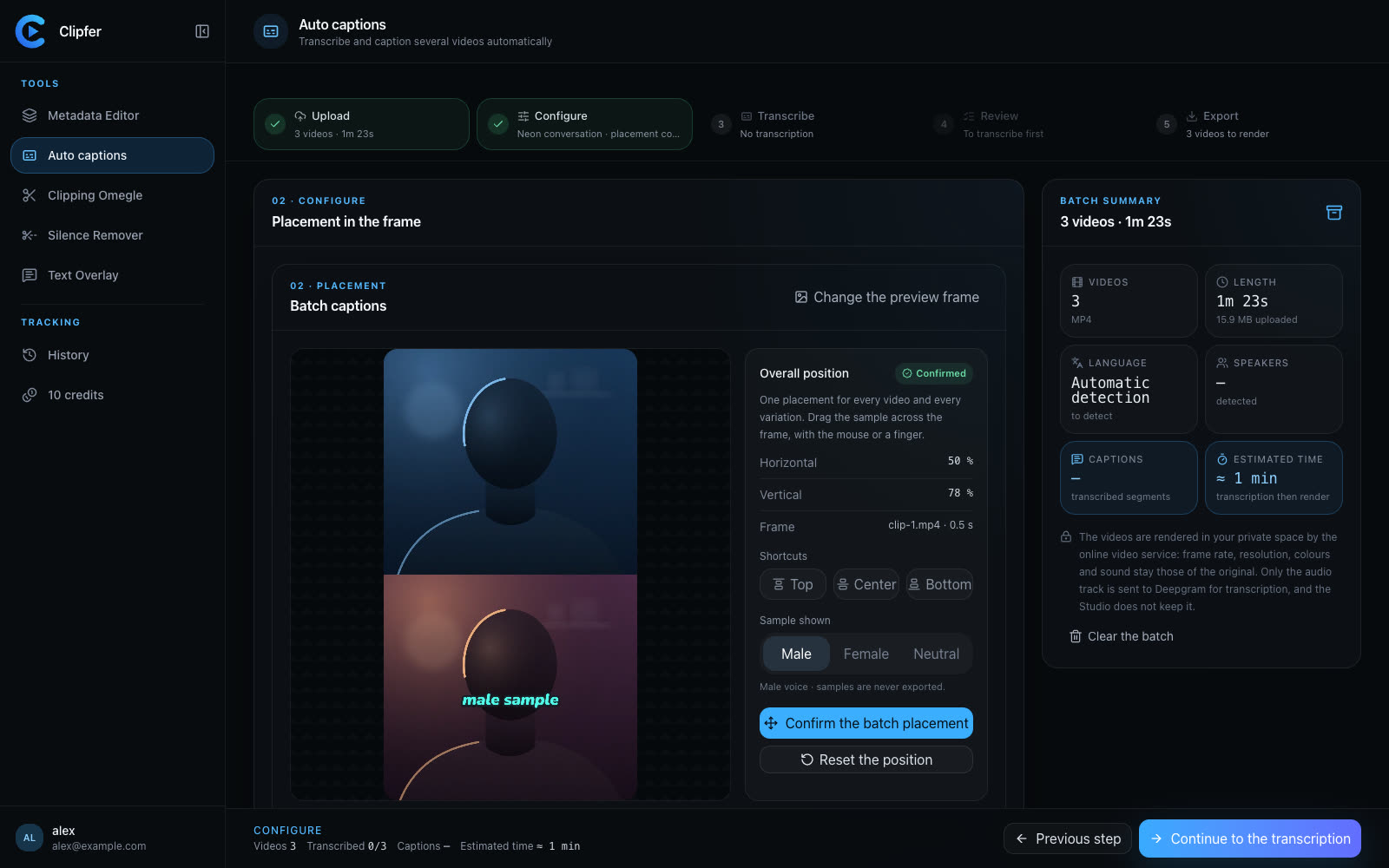
Three ready styles, one colour per voice, the placement chosen once for the whole batch. Every word can be fixed before export.

  • Neon conversation, Plain or Impact
  • SRT and VTT on top of the burn-in
Discover Auto captions
Choose the caption style and place it on the picture.

Silence Remover

A rhythm that never drops

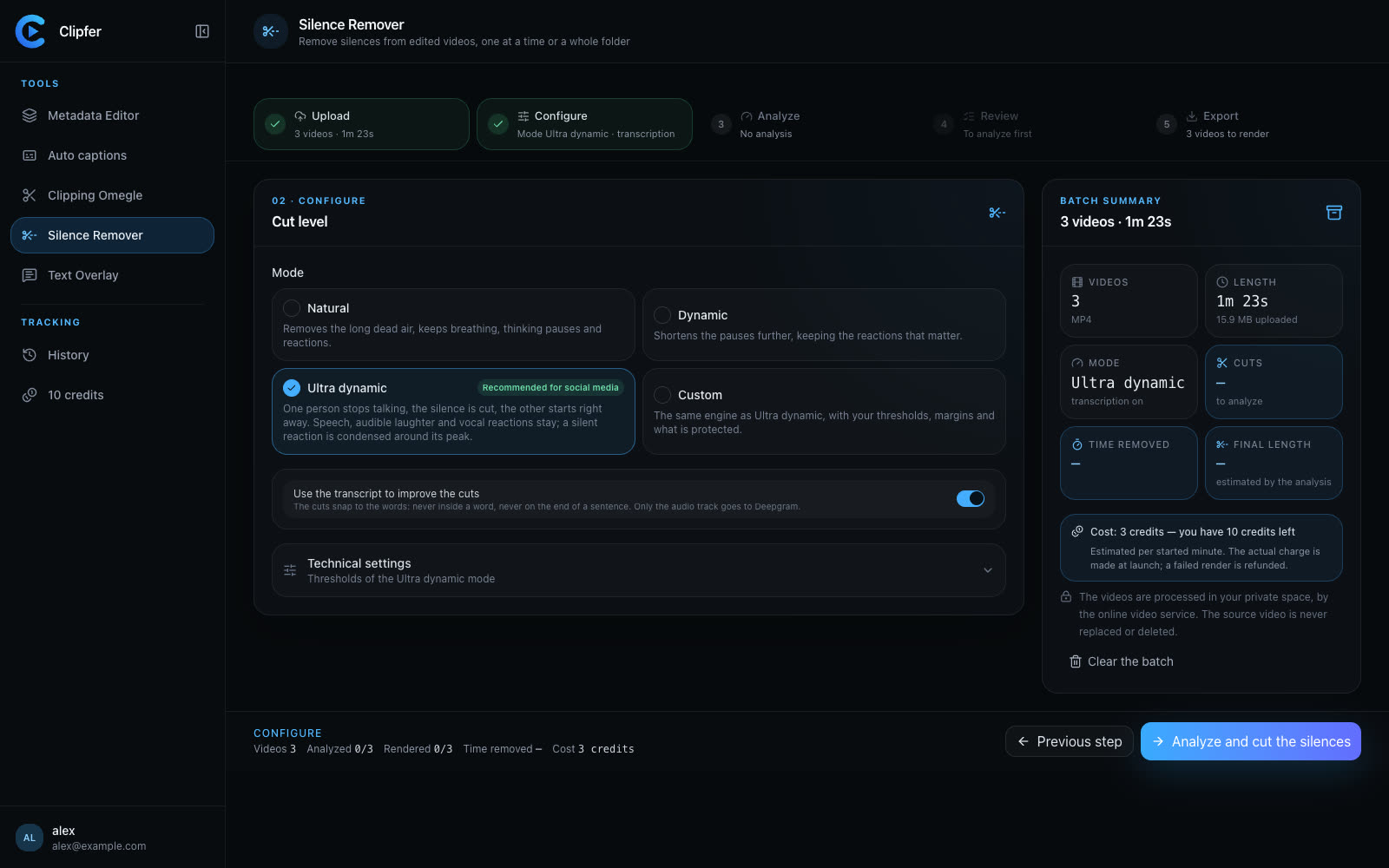
Ultra dynamic cuts as soon as someone stops talking; laughs and reactions stay. You listen to every silence before approving.

  • Three levels, from natural to intense
  • Same picture, same sound, shorter
Discover Silence Remover
Choose the cutting level before running the analysis.
02Workflow

Your day with Clipfer

  1. 01

    1. Film, drop

    Drag the day's videos, or the whole folder. The upload resumes on its own after a dropped connection.

  2. 02

    2. Let it suggest

    The AI writes the captions, Deepgram transcribes, voices are coloured. You review everything in a few minutes.

  3. 03

    3. Adjust once

    Caption position, caption style, cutting level: set once for the whole batch, or video by video.

  4. 04

    4. Export, publish

    Files ready, with neutral names, in a ZIP archive. Every session stays in your projects.

Why Clipfer for a creator

  • You stay in controlNothing goes out before you have seen it: the caption, the captions, the cuts are reviewed and fixed.
  • Paid per minute producedCredits that follow what you publish, a pack to top up, free credits to try.
  • In the browserNothing to install: your files are in your private space, rendering happens online.

Your next story starts here.

Sign-ups are opening soon.

Sign-ups opening soonI already have an account