Most People Watch on Mute: Why Captions Are No Longer Optional
Most viewers scroll through vertical video with sound off, so captions aren't a nice-to-have anymore, they're the baseline for any clip to land.
Think about the last ten videos you scrolled past on your phone. How many did you watch with sound on? For most people, autoplay feeds, offices, public transport, and late-night scrolling in bed all push toward silent viewing. If your video relies on someone hearing the punchline or the hook, you're losing viewers in the first two seconds. Captions used to be an accessibility feature. Now they're the default way most of your audience actually consumes your content.
Why silent viewing changed everything
Vertical video platforms are built for environments where sound is inconvenient or socially awkward. A viewer scrolling TikTok on a commute, or watching Reels while a partner sleeps next to them, isn't going to tap the speaker icon just for your video. If the hook, the joke, or the key information lives only in the audio, that viewer swipes away without ever registering what you made.
This isn't a niche behavior anymore, it's the norm across short-form platforms. Creators who still treat captions as optional are effectively cutting their own reach before the algorithm even has a chance to work.
What captions actually do beyond accessibility
Captions were originally framed as a feature for deaf and hard-of-hearing viewers, and that use case still matters. But in practice, captions today do several jobs at once:
- They keep silent viewers engaged past the first second
- They reinforce your message for viewers who do have sound on, improving retention
- They make your content scannable, letting people decide in half a second whether to keep watching
- They help non-native speakers follow faster or more casual speech
Treating captions as purely an accessibility checkbox misses how central they've become to basic watchability.
The gap between auto-generated and usable captions
Generating captions automatically is only half the job. Auto-transcription tools make mistakes with names, slang, accents, and fast speech. Captions that are technically present but full of errors can actually hurt credibility more than having none at all, viewers notice garbled text fast.
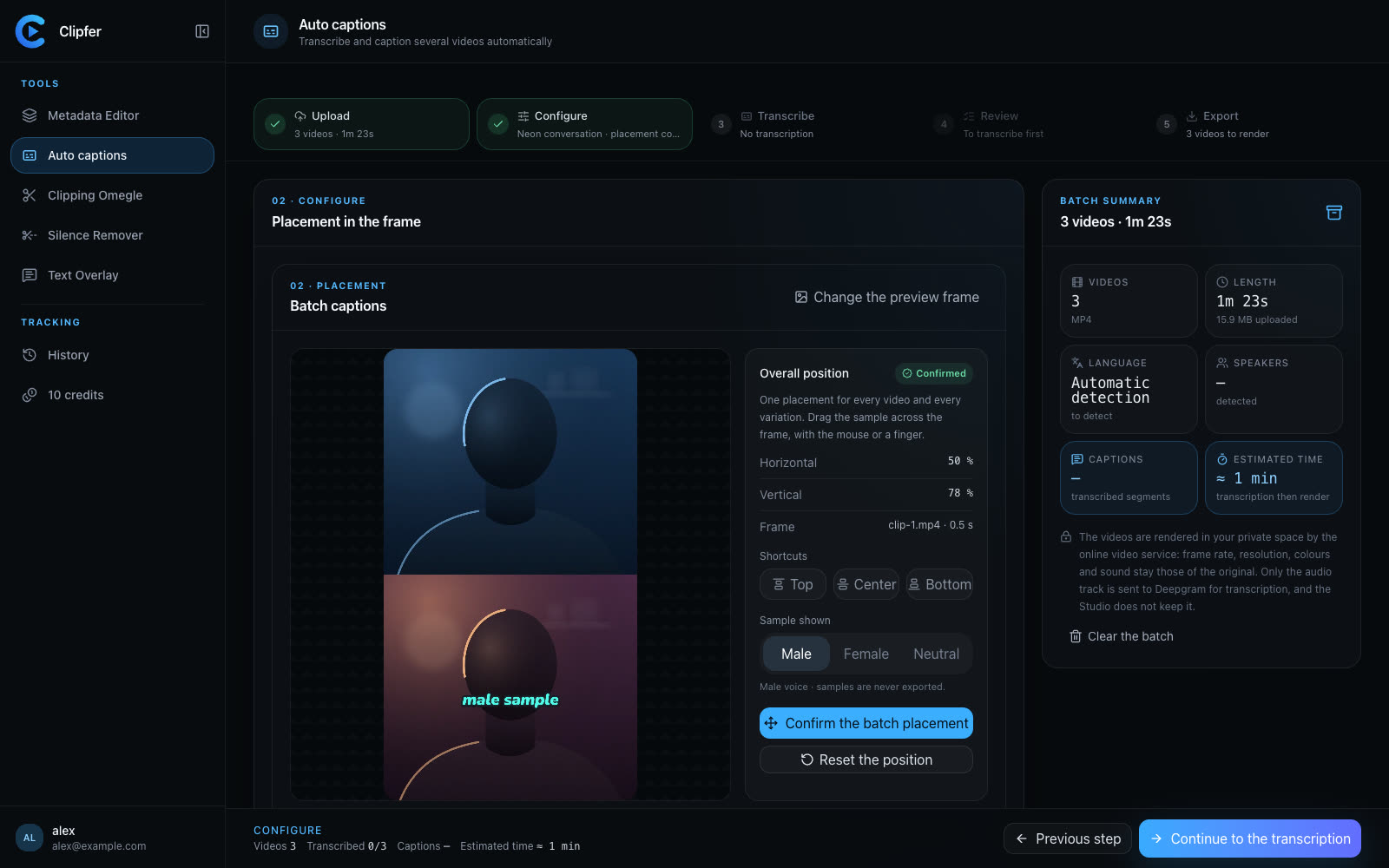
This is where a proper review pass matters. Quick corrections to fix misheard words, punctuation, or speaker attribution make the difference between captions that look professional and captions that look like an afterthought. Clipfer's Auto captions tool handles the transcription with Deepgram, animates the styling, and lets you assign different colors per voice, which helps a lot on multi-speaker content like interviews or reaction videos.
Styling captions so they don't look generic
Plain white text at the bottom of the screen used to be enough. Now, viewers have seen thousands of captioned videos, and generic styling blends into the noise. A few things worth paying attention to:
- Match caption style to platform conventions, what works on TikTok looks different from what fits a podcast clip on YouTube Shorts
- Use color coding for multiple speakers so viewers don't get lost
- Keep text legible against busy backgrounds, size and contrast matter more than font choice
- Sync timing carefully, captions that lag or jump ahead break immersion fast
For podcasters converting long-form audio into short clips, this styling work compounds with everything else happening in the edit, cuts, sound effects, pacing. Getting captions right early saves a lot of rework later.
Fixing transcription errors before they go live
Even solid transcription engines stumble on brand names, technical terms, or overlapping speech. Before publishing, it's worth scanning the full transcript rather than just skimming the final video. A wrong word in a caption is often more noticeable than a cut that's slightly off, because text sits still on screen long enough for viewers to read and judge it.
Building a quick review habit into your workflow, catching homophones, mislabeled speakers, or missing punctuation, pays off especially on videos you expect to get wide distribution.
Where to go from here
If captions have been an afterthought in your workflow, it's a good moment to rebuild that step properly rather than bolting it on at the end. A few resources that walk through the details:
Related articles
What Makes a Moment Worth Clipping
Not every funny line survives the cut to vertical video — here's how to spot the moments that actually hold attention.
Proofreading an Automatic Transcript in Two Minutes
A quick, repeatable method to fix auto-generated captions before export, so names, numbers, and brand terms don't embarrass you in the final cut.
Filming With Your Phone: Framing, Sound, and Light Without Gear
Practical phone-filming basics for vertical creators: how to frame, capture clean audio, and light a scene without buying any gear.