Jump Cuts Nobody Notices: Pacing Tricks for Vertical Video
How to tighten vertical videos with invisible jump cuts that keep pacing tight without breaking the viewer's flow.
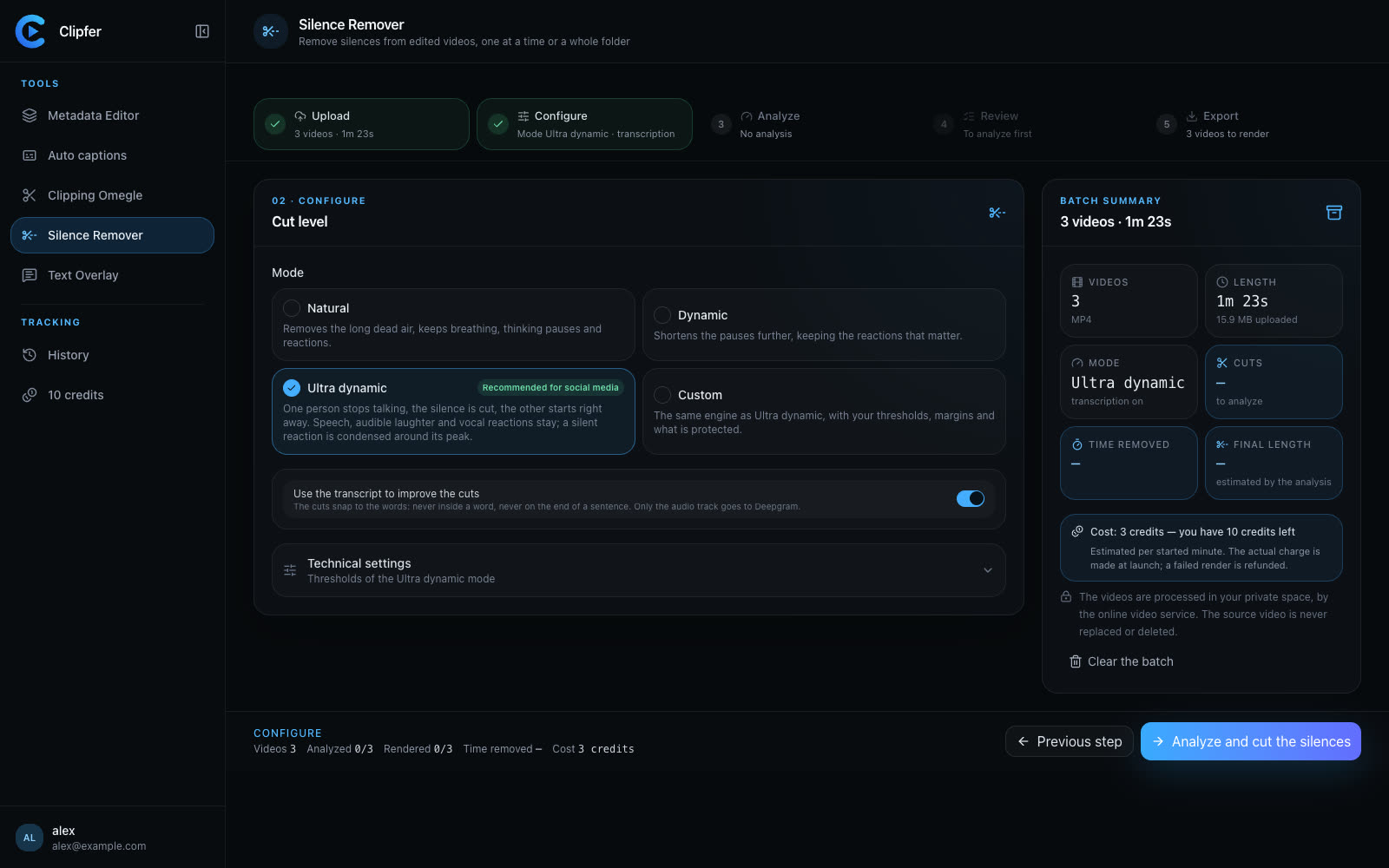
Every scroll-stopping clip you've ever watched is full of jump cuts. You just didn't see them. That's the goal: cuts so well-placed that the viewer feels momentum, not editing. On vertical platforms where attention spans are measured in fractions of a second, invisible cuts are what separate a clip that gets watched to the end from one that gets swiped away at second three.
Why invisible cuts matter more on vertical
Horizontal, long-form content can afford slower pacing because the viewer has already committed to watching. Vertical content lives or dies in the first two seconds, and every subsequent second has to justify itself. A jump cut that removes dead air, a stumble, or a repeated word keeps the energy up. The trick is making the cut invisible rather than jarring.
A cut becomes noticeable when:
- The background jumps slightly (camera moved between takes)
- The speaker's hand or head position changes abruptly mid-sentence
- Audio cuts sharply instead of following natural breath patterns
- The pacing before and after the cut doesn't match
Where to cut without the audience noticing
- On a blink or head turn. The brain already expects a visual break there.
- Right before or after a hard consonant. Audio discontinuity is far less noticeable at these points than mid-vowel.
- During a gesture. If the speaker's hand is already moving, a small jump reads as part of the motion.
- At the start of a new thought. Cuts that align with content boundaries feel intentional rather than accidental.
Silence is your easiest invisible cut
The most common jump cut in talking-head and podcast content isn't a dramatic edit — it's just removing dead air. Long pauses, breathing gaps, and "um" moments are naturally invisible to cut because the viewer wasn't paying attention to that silence in the first place. This is exactly the kind of repetitive, time-consuming edit that's easy to automate. Clipfer's Silence Remover strips these gaps out of already-edited footage, including whole folders at once, so you're not manually scrubbing a timeline looking for every half-second pause.
Matching audio and captions to hide the seams
One reason cuts become visible is a mismatch between what's said and what's shown. If captions lag behind or don't match the new pacing after a cut, the edit draws attention to itself. Clean, accurately timed captions help mask cuts because the viewer's eyes are following the text rather than scrutinizing the frame. Clipfer's Auto captions tool transcribes with Deepgram and lets you correct the transcription directly, so timing stays tight even after you've trimmed footage down.
Building rhythm across a batch of clips
If you're producing clips at volume — for an agency, a podcast's social cutdowns, or a creator doing daily posts — consistency in pacing matters as much as any single cut. Viewers who follow an account start to expect a certain rhythm. Wildly inconsistent cut density (some clips tight and punchy, others loose and rambling) makes your output feel less professional even if each individual clip looks fine.
A few practical habits:
- Set a rough target of cuts per minute and stick close to it across a batch
- Review clips back-to-back, not in isolation, to catch rhythm mismatches
- Keep a consistent caption style so viewers aren't re-adjusting to new visual pacing each time
Where this fits with longer-form sourcing
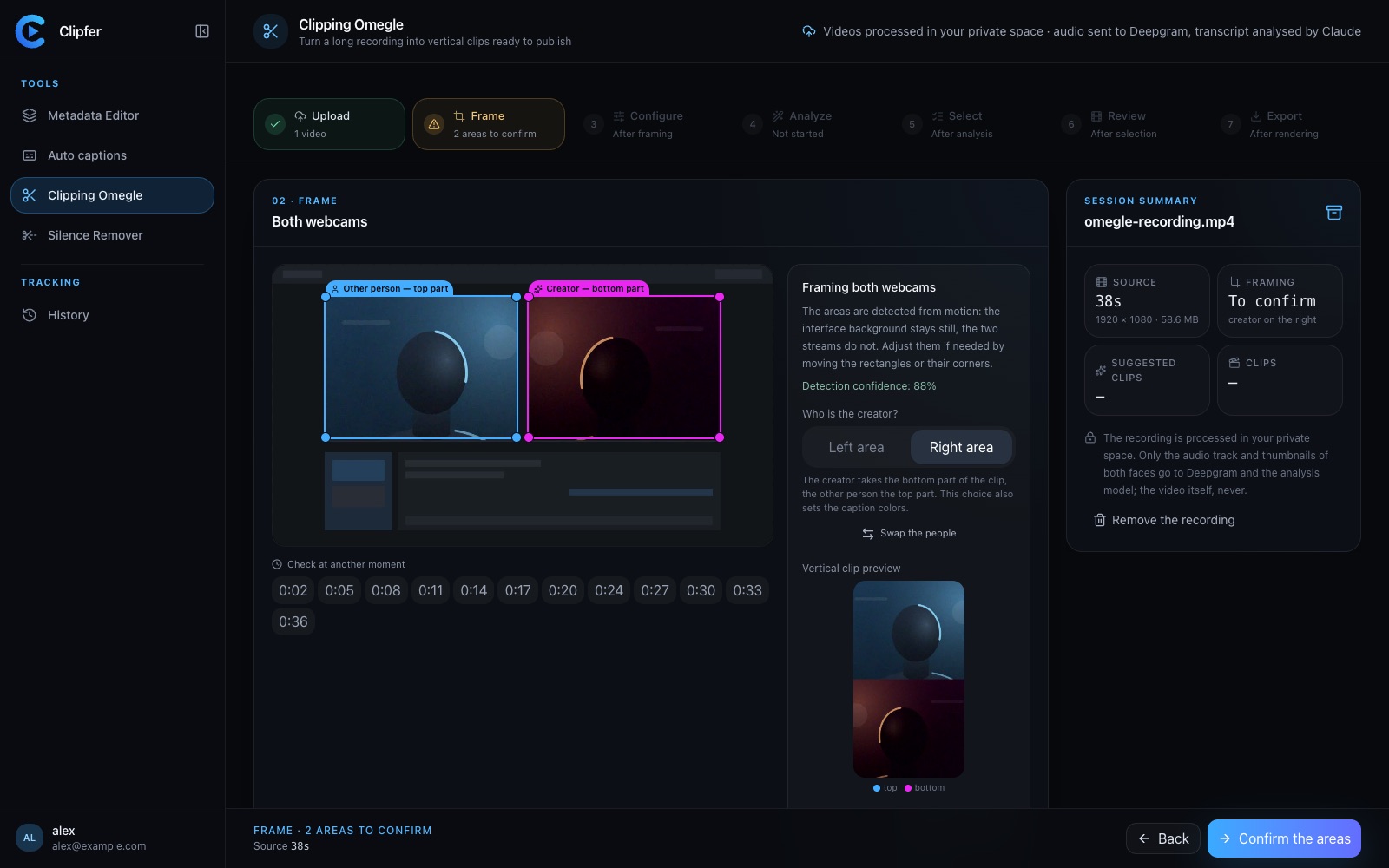
If your clips come from longer recordings — webcam conversations, interviews, or long streams — the invisible jump cut starts at the sourcing stage, not the final trim. Picking the right in and out points on a long recording determines how much cleanup you'll need later. Clipfer's Clipping Omegle tool analyzes long conversation recordings and proposes vertical clip segments with dead time already removed, which gives you a cleaner starting point before you ever touch fine pacing.
Related reading
Related articles
Cutting silence: pacing a video without making it feel mechanical
Dead air, hesitations, breaths: what to remove, what to keep, how to set thresholds, and how to check the cuts across a whole folder before you export.
Sound Effects and Reactions in Clips: Enough, Not Too Much
How to use sound effects and reaction cues in vertical clips without drowning the moment that actually made people watch.
Which Analysis Model for Which Recording? Choosing Clipping Omegle Settings
A practical guide to picking the right analysis depth for Clipping Omegle, balancing clip quality, processing cost, and recording length.